Audit Overview
Your store's untapped revenue potential — and how to unlock it
Why We Created This Audit
We analyzed sunco.com the same way we've audited 350+ e-commerce stores — looking for the specific gaps between your current experience and what top-performing Electronics stores deliver. Every finding in this report is a revenue opportunity backed by industry data and competitive benchmarks.
What We Analyzed
- UX & Conversion Design findings
- Technology & App StackPlatform + 5 apps
- Industry BenchmarksElectronics
Pages Analyzed
- Homepage findings
- Collection Pages findings
- Product Pages (PDP) findings
- Cart & Checkout findings
 This audit was prepared by Growisto — a CRO-led Website development team behind 167% conversion growth for Atomberg, 46% CR lift for TyresNmore, and 350+ e-commerce projects.
UX & Conversion Findings
Page-by-page analysis with visual comparisons against top Electronics stores
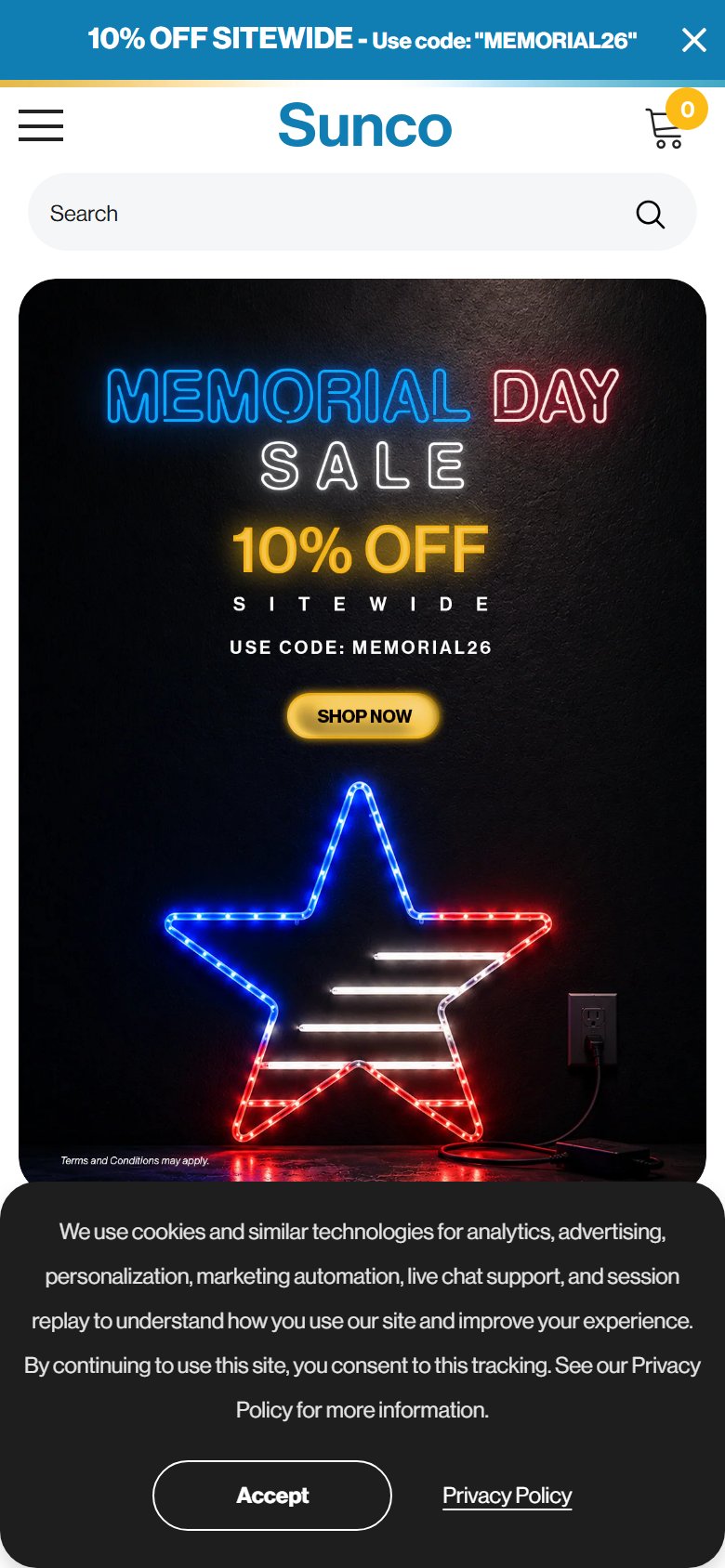
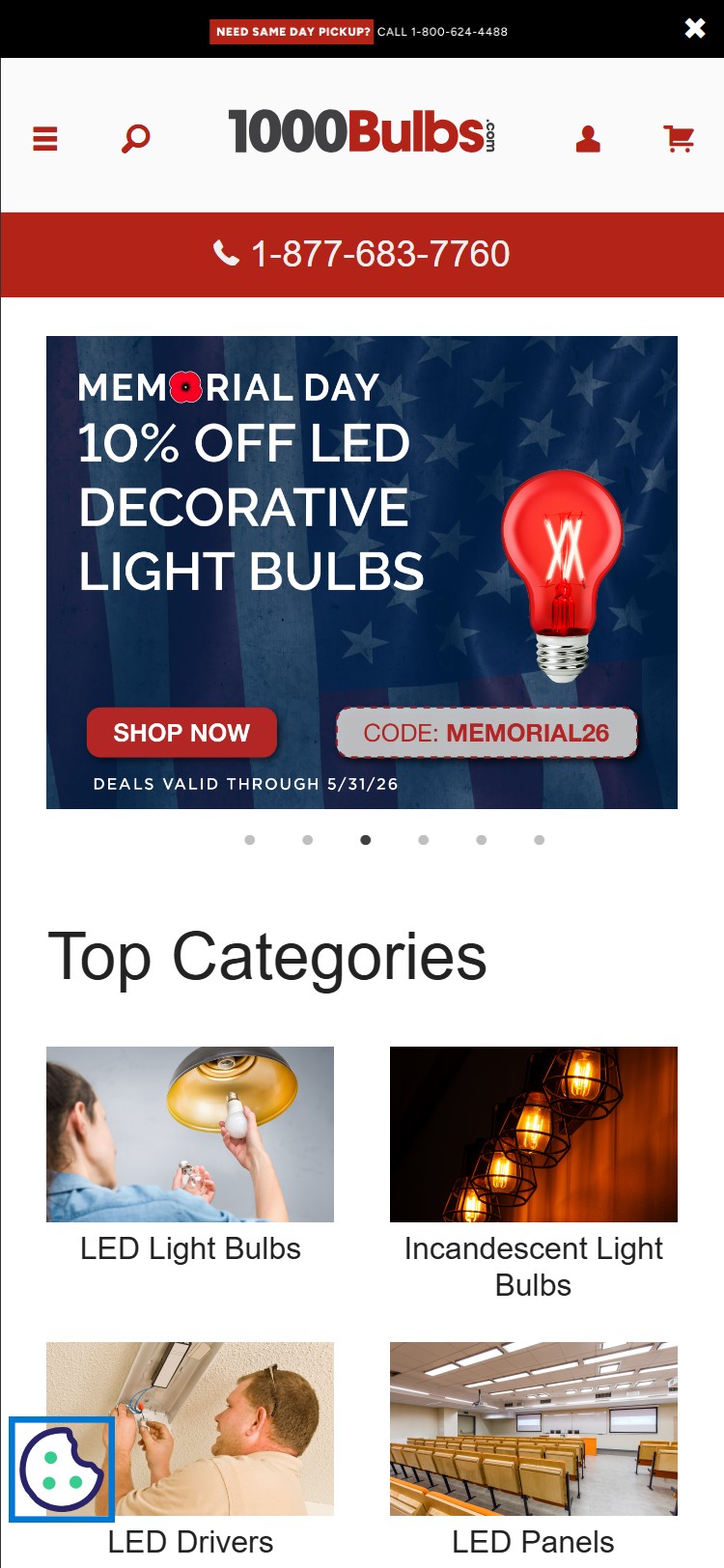
- The above-the-fold hero is a full-bleed promotional graphic: neon star lighting decoration on a dark concrete floor with 'MEMORIAL DAY SALE 10% OFF SITEWIDE / USE CODE: MEMORIAL26 / SHOP NOW' — purely transactional, no product-in-context or room/space lifestyle shot
- The category tiles directly below the hero DO show lifestyle imagery (warehouse, office, residential, grow light contexts) but these are subcategory navigational tiles, not the hero
- Electronics/lighting industry benchmark (10/10 stores) uses the hero to communicate aspiration — product shown illuminating a real space, not a promotional overlay on black background
- A promotional banner hero communicates discount-first rather than quality/capability-first, which can attract price-sensitive visitors while underselling the brand's product range and certifications
- Replace the promotional hero with a lifestyle/architectural shot showing Sunco lighting installed in a home, office, or commercial space — overlay the promo code as a smaller secondary banner or announcement bar (already exists above)
- Use a hero carousel: slide 1 = lifestyle/brand shot, slide 2 = current promotion — keeps the sale message without making it the entire first impression
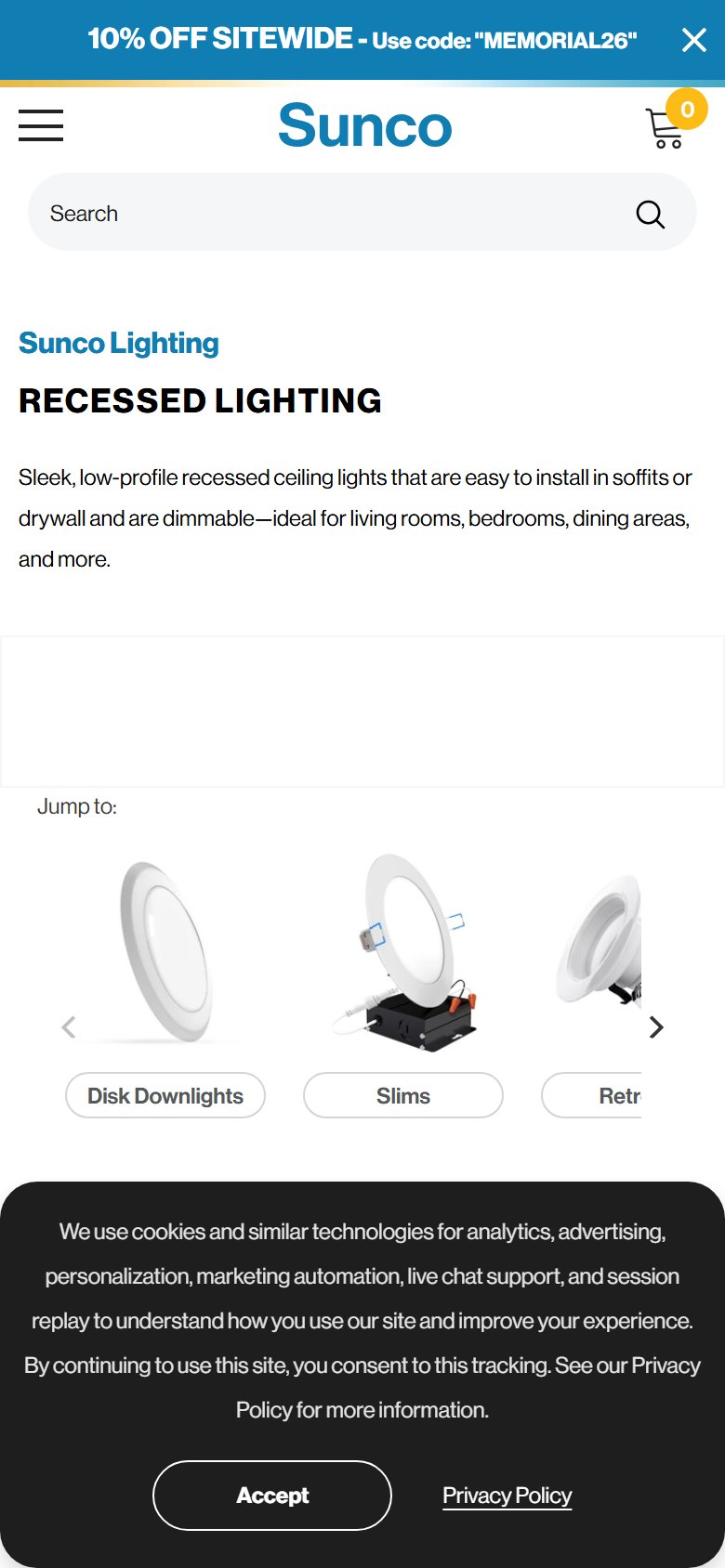
- The announcement bar ('10% OFF SITEWIDE - Use code: MEMORIAL26') already carries the promo message — the hero real estate can be freed up for brand positioning
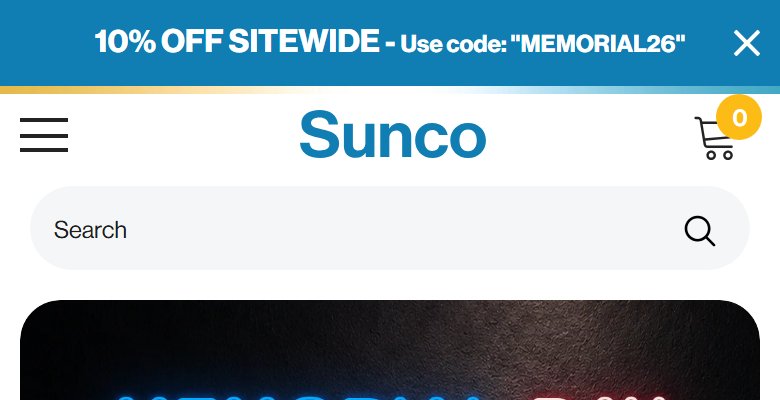
- The announcement bar shows a single static message: '10% OFF SITEWIDE - Use code: MEMORIAL26' with a close button — once dismissed or noted, the bar provides no additional information
- Sunco has multiple strong value propositions that buyers need to know: Free Shipping over $100, Automatic Volume Discounts at $500+, 7-Year Warranty, UL/Energy Star/DLC certifications — none of these rotate through the bar
- A single promotional message in the bar leaves the free shipping threshold, warranty, and bulk pricing entirely undiscovered until deeper in the funnel
- Rotating 2-3 messages (promo code → free shipping threshold → volume discount) would expose all three value props to every visitor during their first seconds on site
- Implement a 3-message rotating announcement bar: (1) current promo with code, (2) 'Free Shipping on orders $100+', (3) 'Automatic Volume Discounts on $500+ orders'
- Keep the close button but set rotation at 4–5 second intervals — gives each message full visibility before transitioning
- During non-promotional periods, rotate: Free Shipping / Volume Discounts / 7-Year Warranty — reinforces trust signals that electronics buyers require before committing
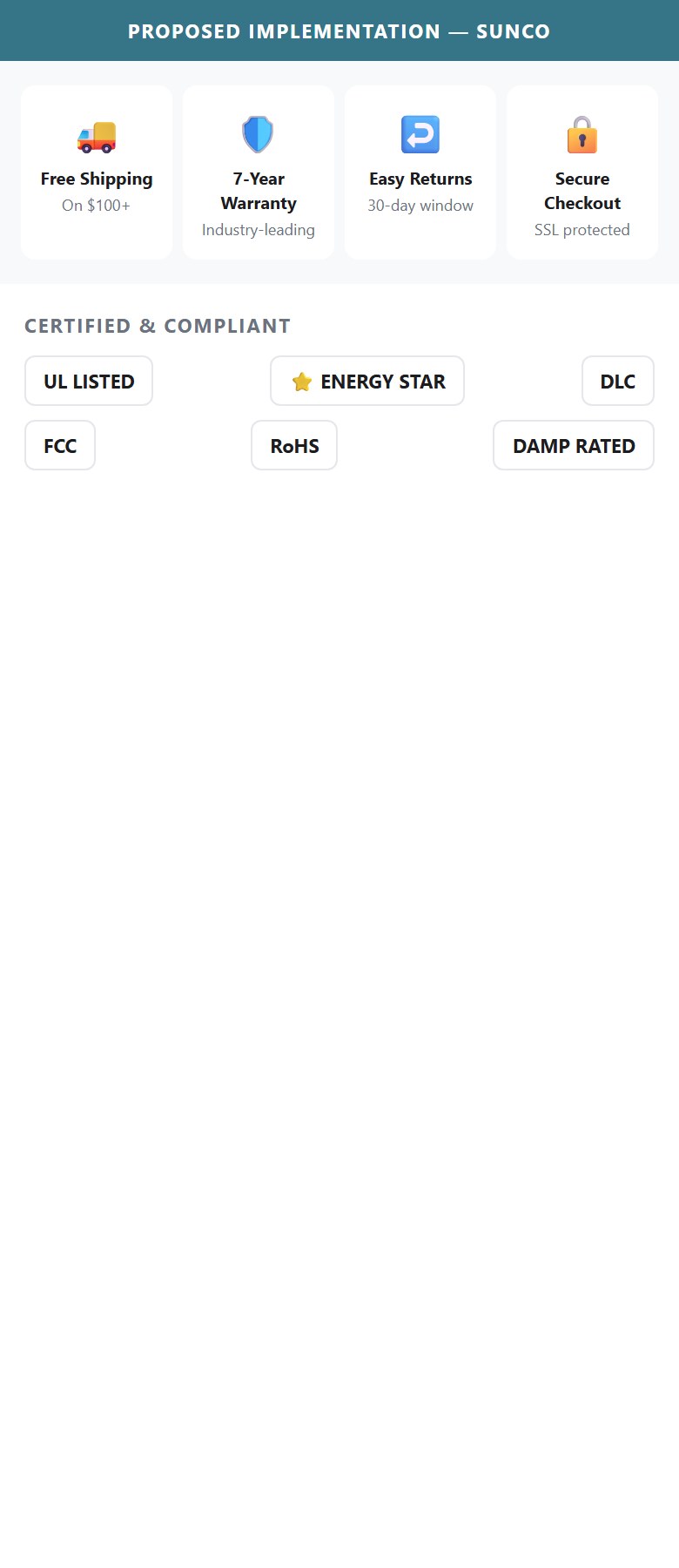
- Scrolling the homepage end-to-end reveals no horizontal trust/USP icon strip — there is no 4-6 icon row showing Free Shipping, Warranty, Secure Payment, Returns, or UL/Energy Star certifications
- The 'About Sunco' section contains contact icons (Support, Contact Us, Call Us, Live Chat) — these are navigation affordances, not purchase-confidence badges
- Free shipping threshold ($100) and volume discounts appear only in the announcement bar (single static message) and header utility bar — not anchored as persistent trust badges near product entry points
- Sunco's strongest trust signals — 7-Year Warranty, UL Listed, Energy Star, DLC, FCC, RoHS certifications — are not visible on the homepage at all; they appear only deep in PDP spec tables
- Add a 4-icon USP strip directly below the hero (or below the category tile row): Free Shipping ($100+) · 7-Year Warranty · Easy Returns · Secure Checkout — this is the single highest-leverage homepage CRO change
- Use clean icon + label + sub-label format: truck icon / 'Free Shipping' / 'On orders over $100', shield icon / '7-Year Warranty' / 'Industry-leading coverage', etc.
- A second 'certifications strip' further down the page (UL Listed, Energy Star, DLC, FCC) would address the commercial/contractor segment who require compliance proof before ordering
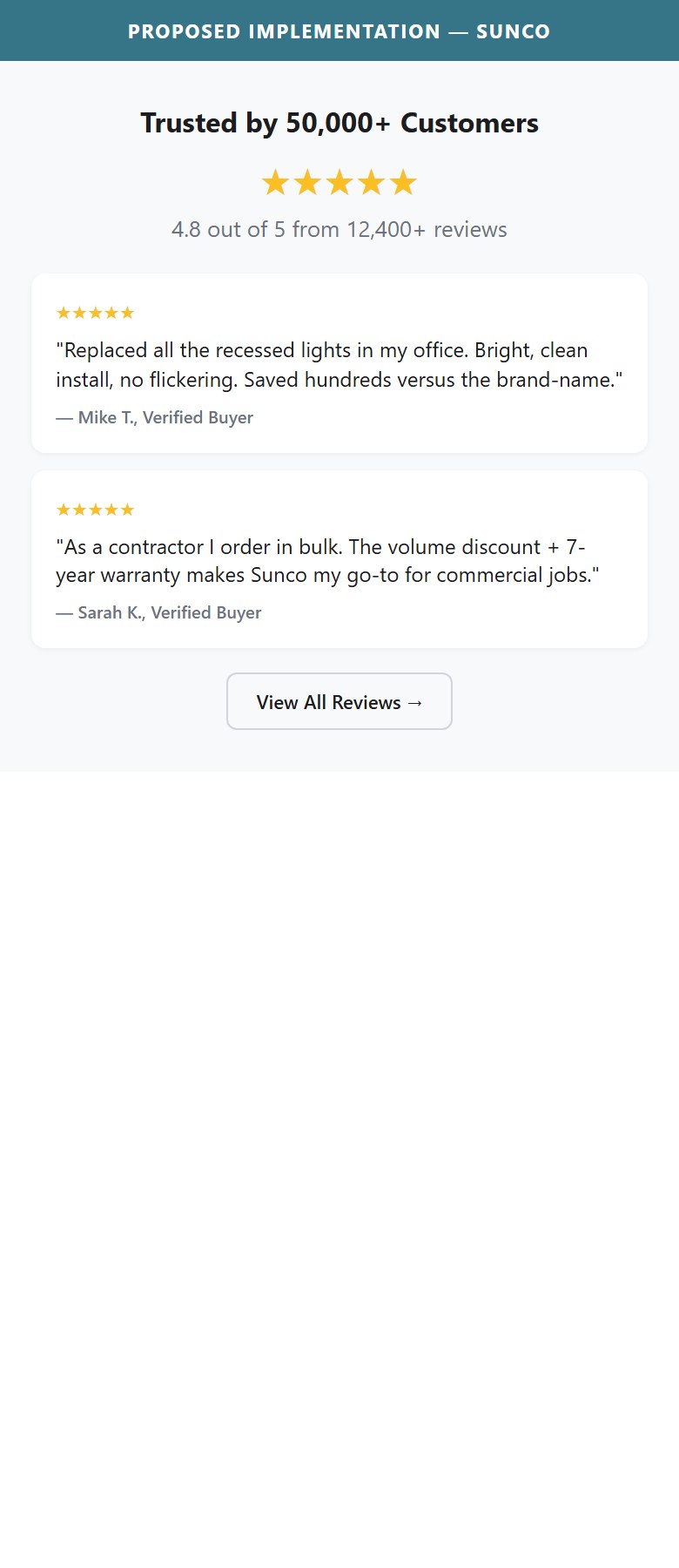
- Full homepage scroll reveals no customer testimonial carousel, no aggregate review count callout, no 'as-seen-in' press logos, and no UGC/installation photo grid
- PDPs carry strong Stamped.io reviews with photo grids — the 6-inch slim product alone shows 111 reviews with 101 five-star ratings and customer installation photos — none of this is surfaced on the homepage
- The 'About Sunco' copy ('dedicated to illuminating the future... affordability, quality, and unmatched service') is brand voice, not customer voice — it does not convert the same way social proof does
- Lighting purchases (especially commercial/contractor) are high-consideration; a homepage aggregate rating ('4.8 stars across 50,000+ reviews') or featured customer project photo would directly reduce bounce rate
- Add a social proof row between the category tiles and product carousel: aggregate star rating + review count (pull from Stamped.io), 2-3 featured customer installation photos with brief quote and product used
- Pull the top 3 UGC installation photos (already captured in Stamped.io review photos) into a homepage grid — customers showing their finished rooms is the most credible content Sunco owns
- If press/media coverage exists (trade publications, YouTube installs), add a 'Featured In' logo strip — particularly valuable for contractor/commercial audience who validate via third-party endorsement
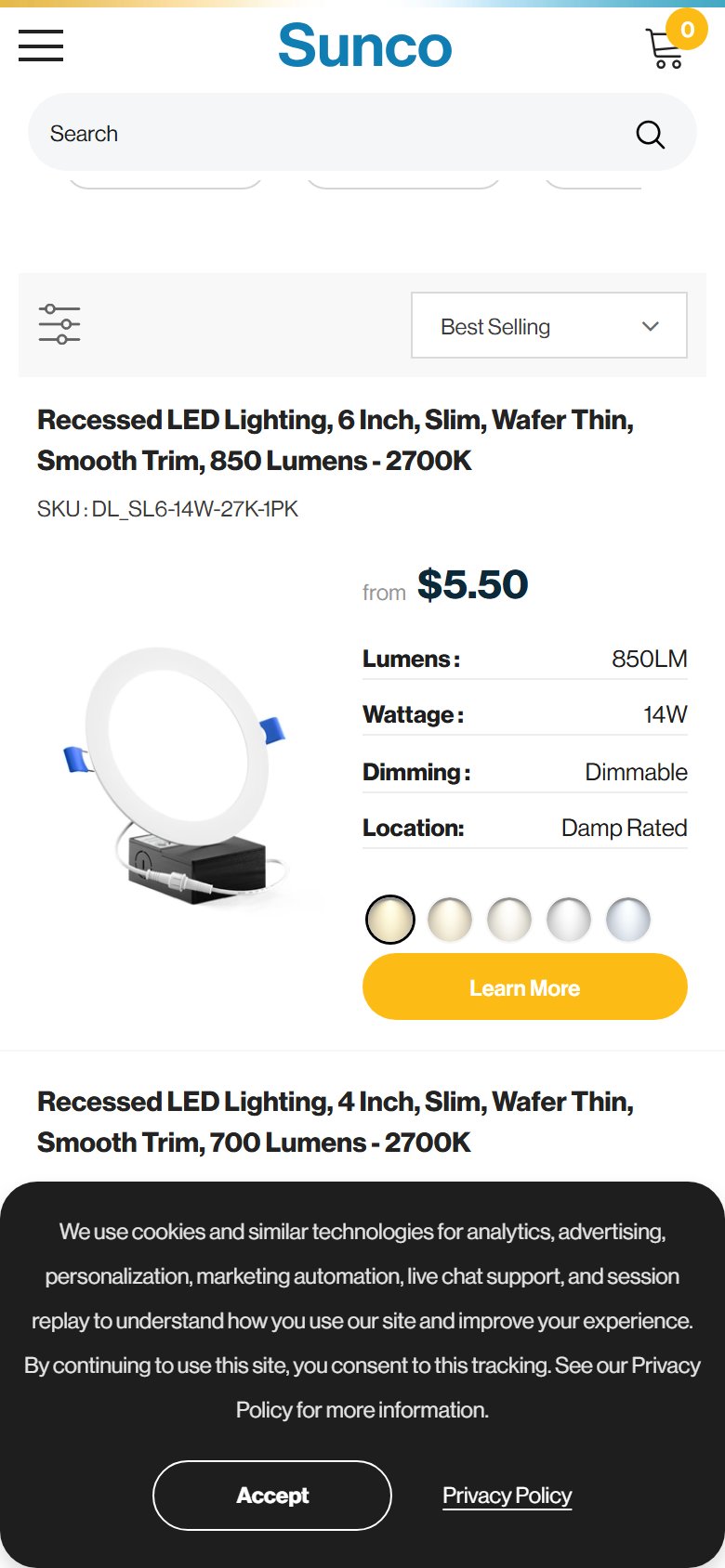
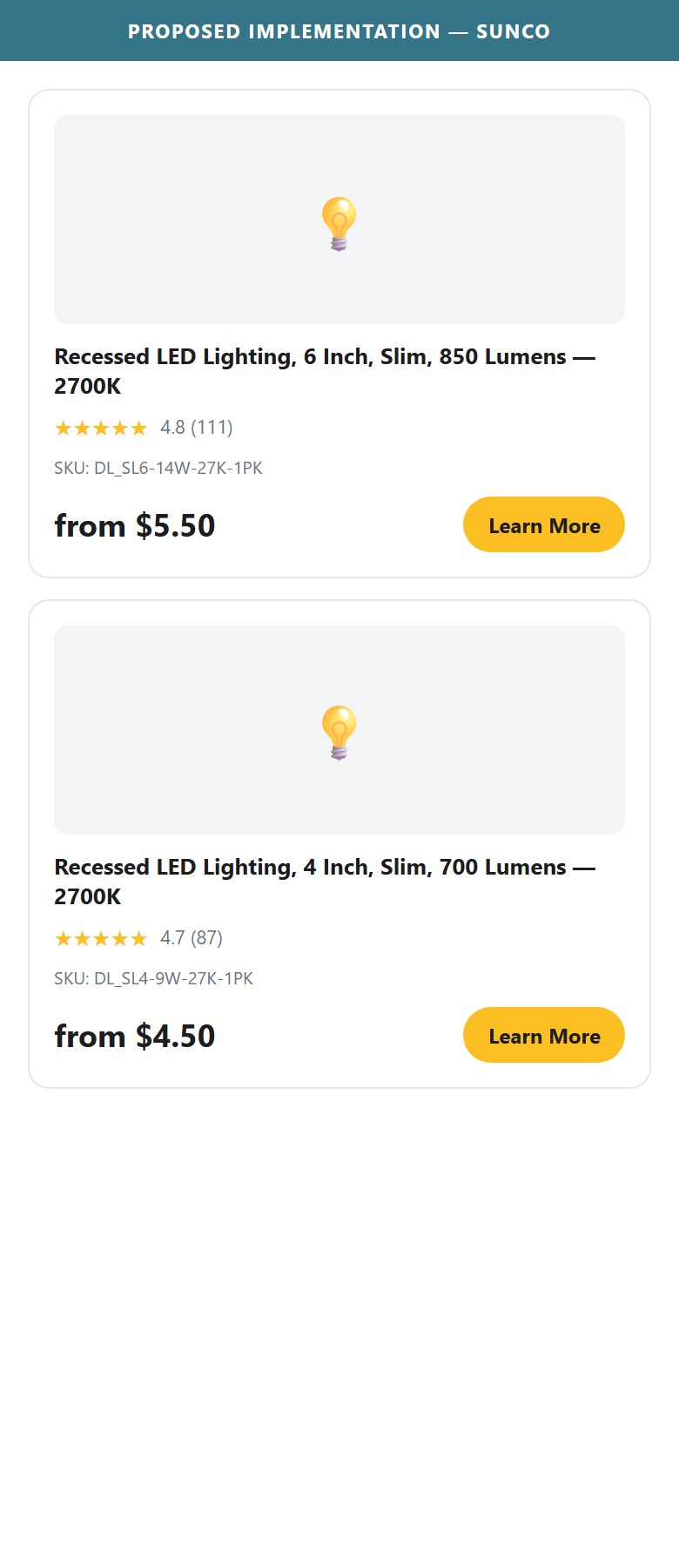
- Collection product cards display: product image, SKU, 6 spec bullets (Lumens, Wattage, Dimming, CRI, Location, Warranty), price, color swatches, and 'Learn More' button — no review stars anywhere on the card
- Stamped.io (the active review app) supports inline star ratings on collection cards via a simple widget snippet — the integration is incomplete: reviews exist on PDP but are not propagated to card level
- With 1,375 SKUs, shoppers use collection cards to compare and shortlist — review stars are a primary comparison signal, especially when specs are similar across products
- The absence forces every shopper to click into each PDP to verify social proof, multiplying page loads and increasing abandonment before commitment
- Enable Stamped.io's collection card star widget — this is a configuration toggle in the Stamped dashboard, not a development task; it injects inline stars below the product title on collection cards
- Show star count and review count ('4.8 ★ (111)') in a compact row between the product name and the spec bullets
- Prioritize enabling on the highest-traffic collections first (Recessed Lighting, LED Bulbs) — measure ATC rate lift before rolling out site-wide
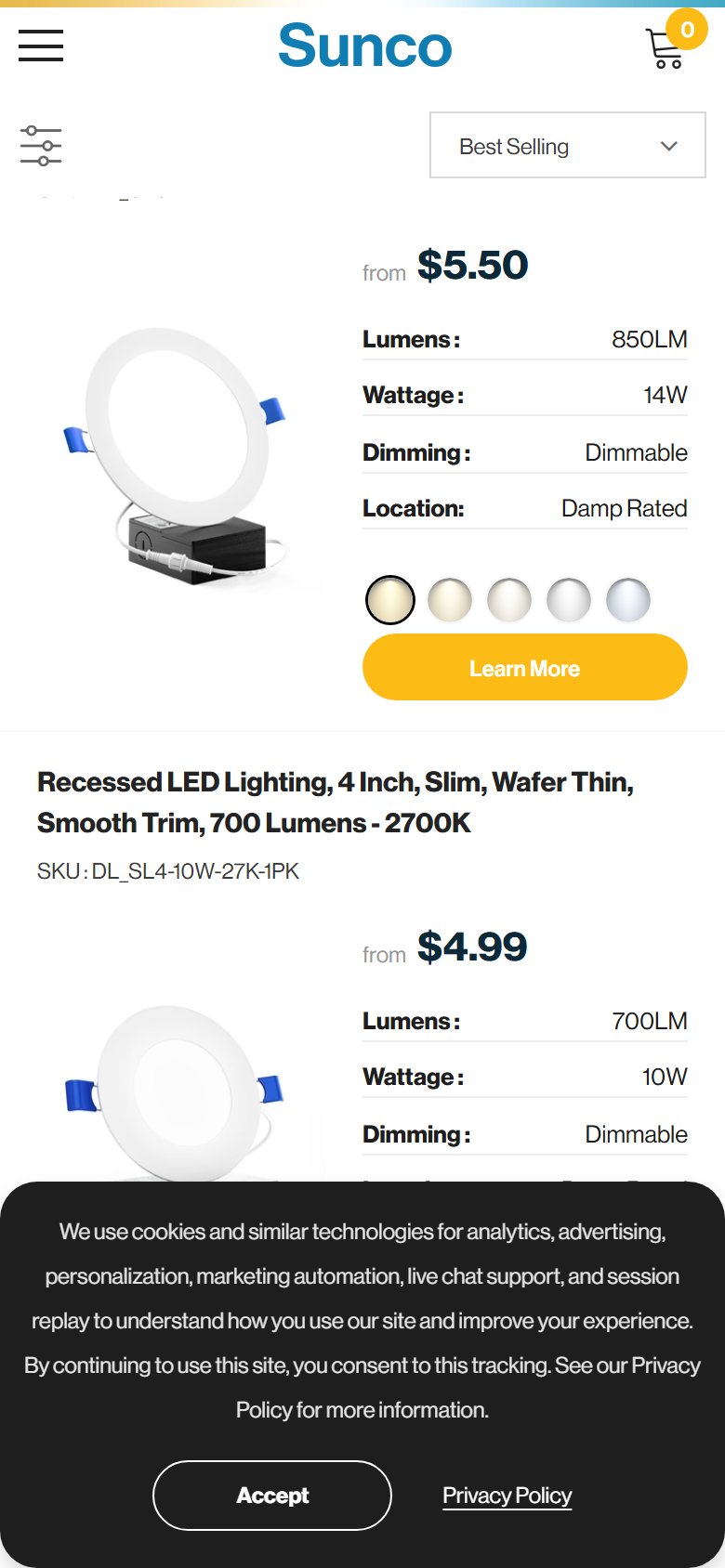
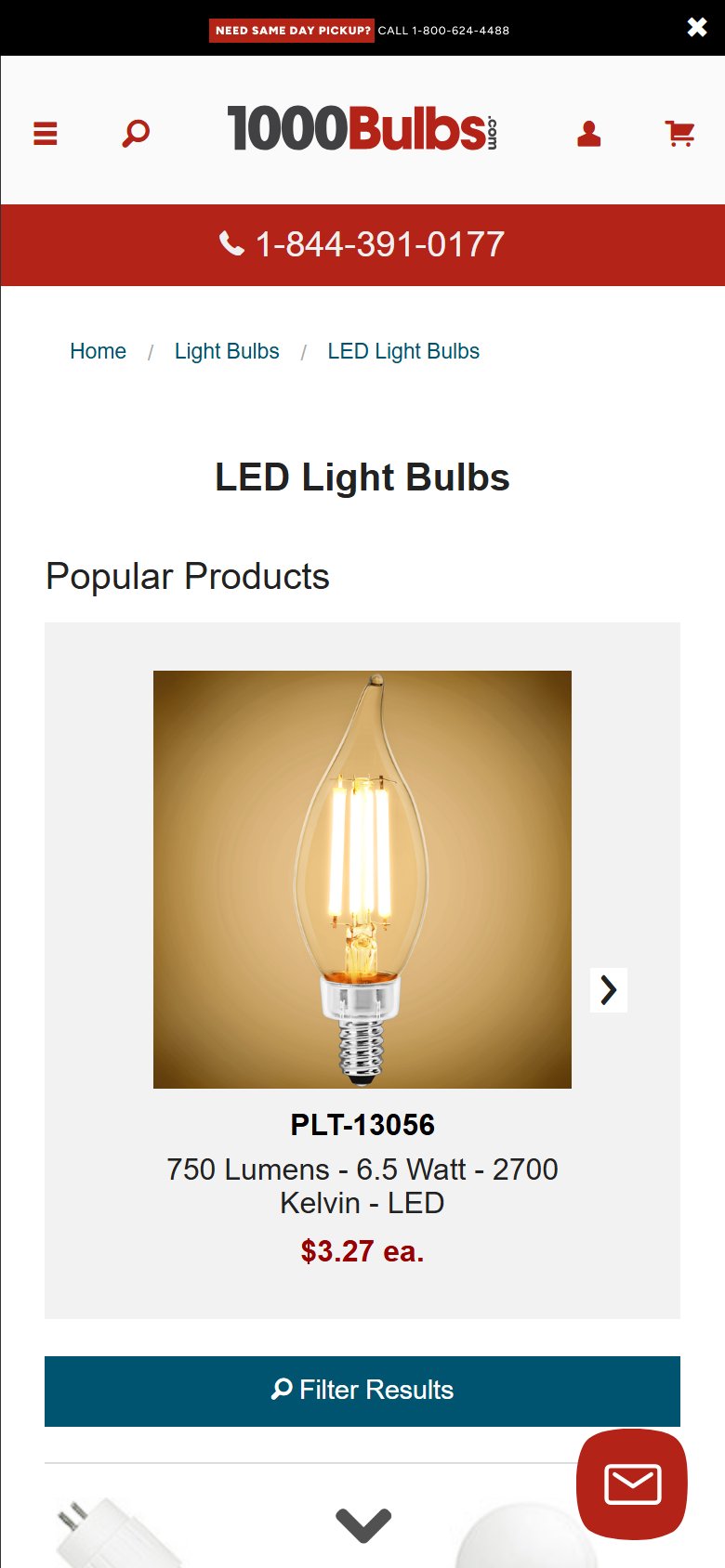
- Each collection card has a single CTA: an orange 'Learn More' button — there is no Quick View modal, no 'Add to Cart' button on the card, and no hover-state ATC overlay
- For repeat/professional buyers purchasing known SKUs (contractors, facilities managers ordering the same fixture in bulk), forcing a full PDP navigation per item is a significant friction multiplier across large orders
- The collection cards already surface all primary decision-making specs (Lumens, Wattage, CRI, Location, Warranty, price, pack options) — buyers have enough information to add to cart without visiting the PDP
- Competitors serving the contractor/commercial segment provide direct-to-cart functionality from collection pages to support multi-SKU order building
- Add an 'Add to Cart' button on the card for single-variant or most-popular-variant products, or a hover/focus state that reveals an ATC button with the default variant pre-selected
- For multi-variant products (color temp, pack size), implement a Quick View modal that opens the full variant selector and ATC in a lightbox — avoids a full page navigation
- Label the existing 'Learn More' button as 'View Details' to set clearer expectations, and add a separate smaller 'Add to Cart' for the default variant alongside it
- The left-rail filter panel offers: Product Type, Availability, Size (inch), Switch Type, Features (checkboxes), Color (swatches), Base Type — all categorical filters
- Missing are range-based filters for the two most critical purchasing parameters in LED lighting: Wattage (e.g. 5W–25W slider) and Lumens output (e.g. 400LM–2000LM slider)
- Lighting buyers — especially contractors specifying for a project — select products by lumen output per wattage efficiency ratio and fixture size; without range filters they must scroll through all matching size results to find the right output spec
- Color Temperature is available as a checkbox feature filter ('Selectable Color Temp') but not as a numeric CCT range (2700K/3000K/4000K/5000K) which is the standard selection dimension for architectural lighting
- Add Wattage range slider (5W–100W with preset brackets matching the catalog) and Lumens range slider (400–10,000LM) to the filter panel — these map directly to existing product metafields already shown on cards
- Add a CCT/Color Temperature categorical filter with standard options: 2700K (Warm White), 3000K (Soft White), 4000K (Cool White), 5000K (Daylight) — replaces the vague 'Selectable Color Temp' feature checkbox
- Add a 'Price per unit' range slider for bulk buyers comparing cost-efficiency across pack options — particularly valuable for the contractor/commercial segment
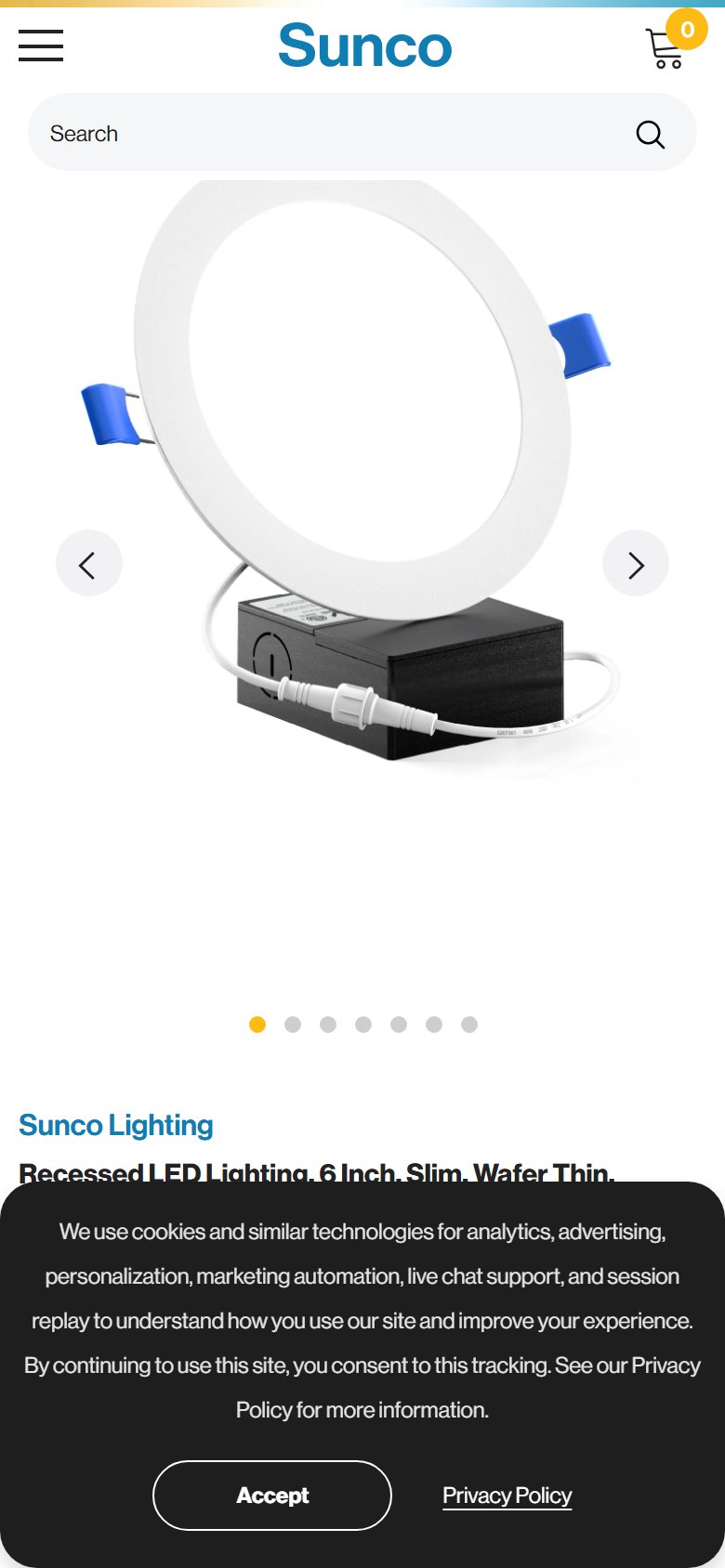
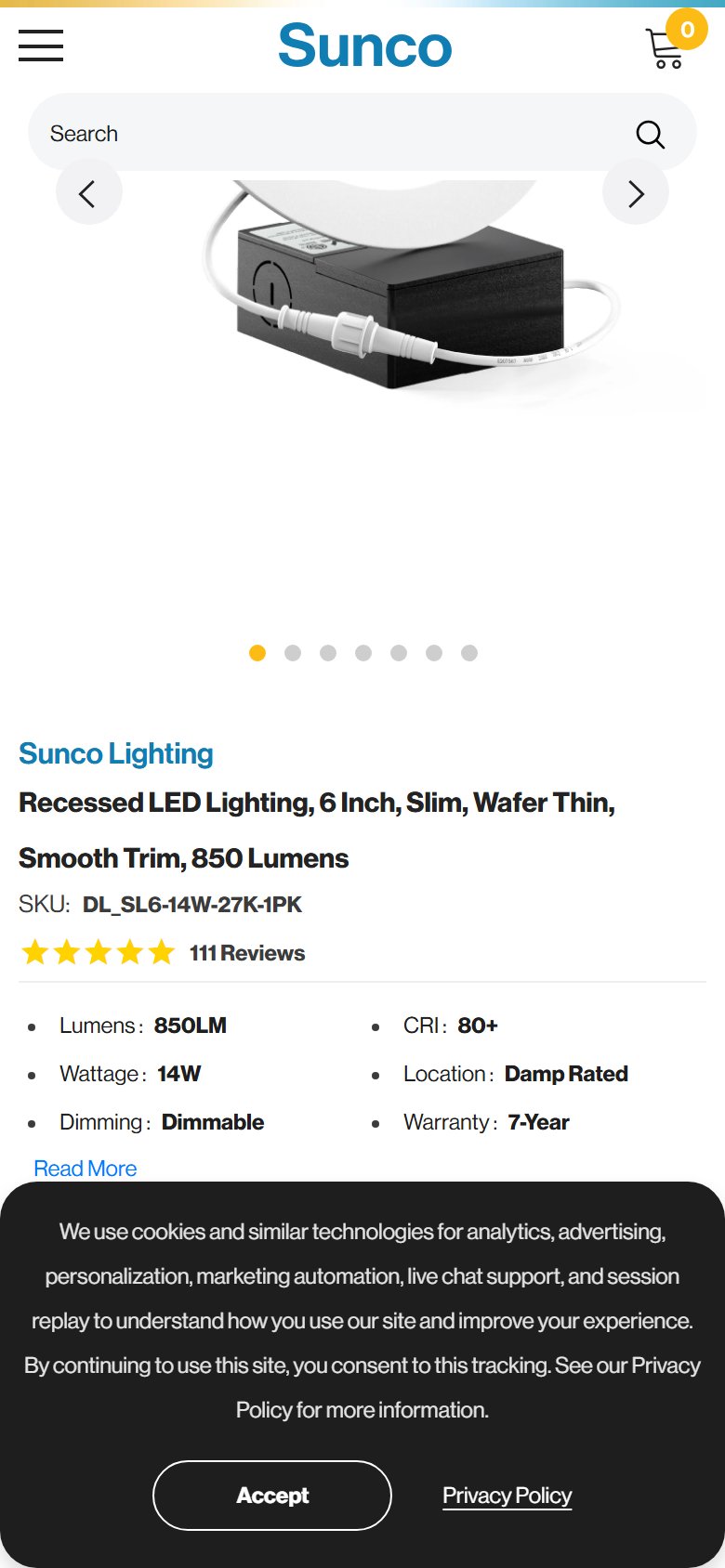
- The buy box shows specs as plain text bullets: 'Lumens: 850LM · Wattage: 14W · Dimming: Dimmable · CRI: 80+ · Location: Damp Rated · Warranty: 7-Year' — no icons, no visual hierarchy differentiation
- Below the ATC button are two utility badges (Volume Discounts % icon, Free Shipping truck icon) — these are transactional reassurance badges, not product attribute icons
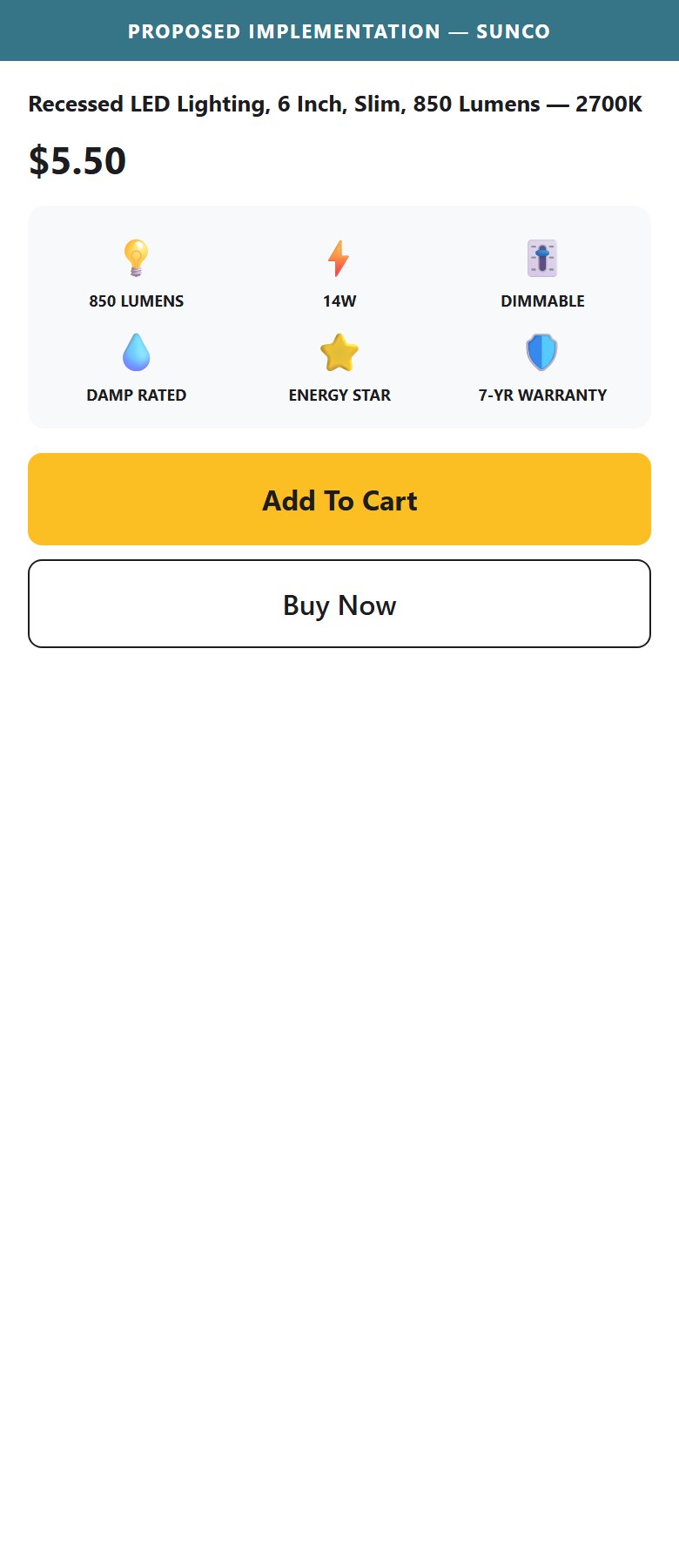
- Electronics benchmark (9/10 stores) uses 4-6 visual icon badges near the product title or ATC zone for the most scannable spec attributes — icons allow 3–5x faster comprehension than text bullets on mobile
- Sunco's strongest differentiation attributes (7-Year Warranty, Energy Star certified, Damp Rated, Dimmable) deserve icon treatment to register at a glance, especially for first-time visitors scanning multiple products
- Add a 4-6 icon badge strip between the spec bullets and the ATC button: Dimmable icon · Damp Rated icon · 7-Year Warranty shield · Energy Star badge · CRI 80+ badge · IC Rated icon
- Use flat vector icons consistent with Sunco's existing icon vocabulary (the homepage already has contact method icons and the PDP has the volume discount/shipping badge icons — extend the same visual system)
- Keep the text spec table for comprehensive reference — the icon strip is a scannable summary layer, not a replacement; mobile users see icons first, the spec table is for detailed consideration
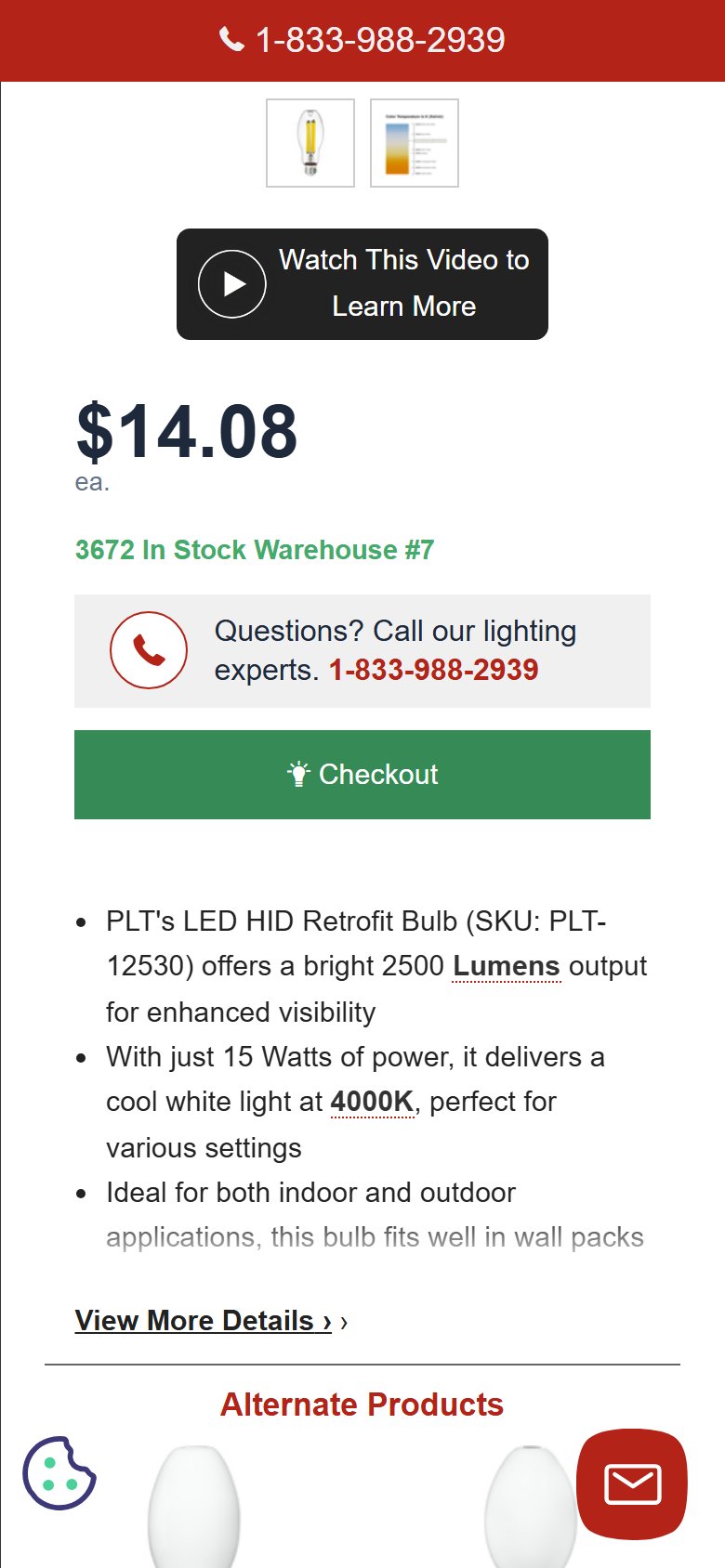
- The PDP buy box shows a single primary CTA: a large orange 'Add To Cart' button. Below it are 'Volume Quote Request' and 'Tap To Call' secondary CTAs — no 'Buy Now', no 'Checkout Now', and no express payment buttons (Shop Pay / Google Pay / Apple Pay) at PDP level
- Express payment options (Shop Pay, PayPal, Amazon Pay, Google Pay) are present on the /cart page under 'Express payment options at checkout' — but NOT rendered on the PDP, adding an extra cart review step for high-intent single-item buyers
- Single-item purchase path from PDP: ATC click → cart drawer opens → drawer shows item → navigate to /cart → click Secure Checkout → express options visible — five distinct steps minimum
- Shopify natively supports Shop Pay and Google Pay 'Buy Now' buttons on PDP without custom development — the infrastructure exists in the platform but is not activated
- Enable Shop Pay and/or Google Pay 'Buy Now' buttons directly on the PDP buy box — in Shopify admin these are toggled on under Payment settings; no development required for the button rendering
- Add a secondary 'Buy Now' button below Add To Cart for non-express checkout users — clicking it skips the cart and goes directly to /checkout with the variant pre-loaded
- For the contractor/commercial segment using Volume Quote Request, keep that CTA — but it should not be the same visual weight as ATC; demote it to a text link to avoid visual competition with the primary purchase path
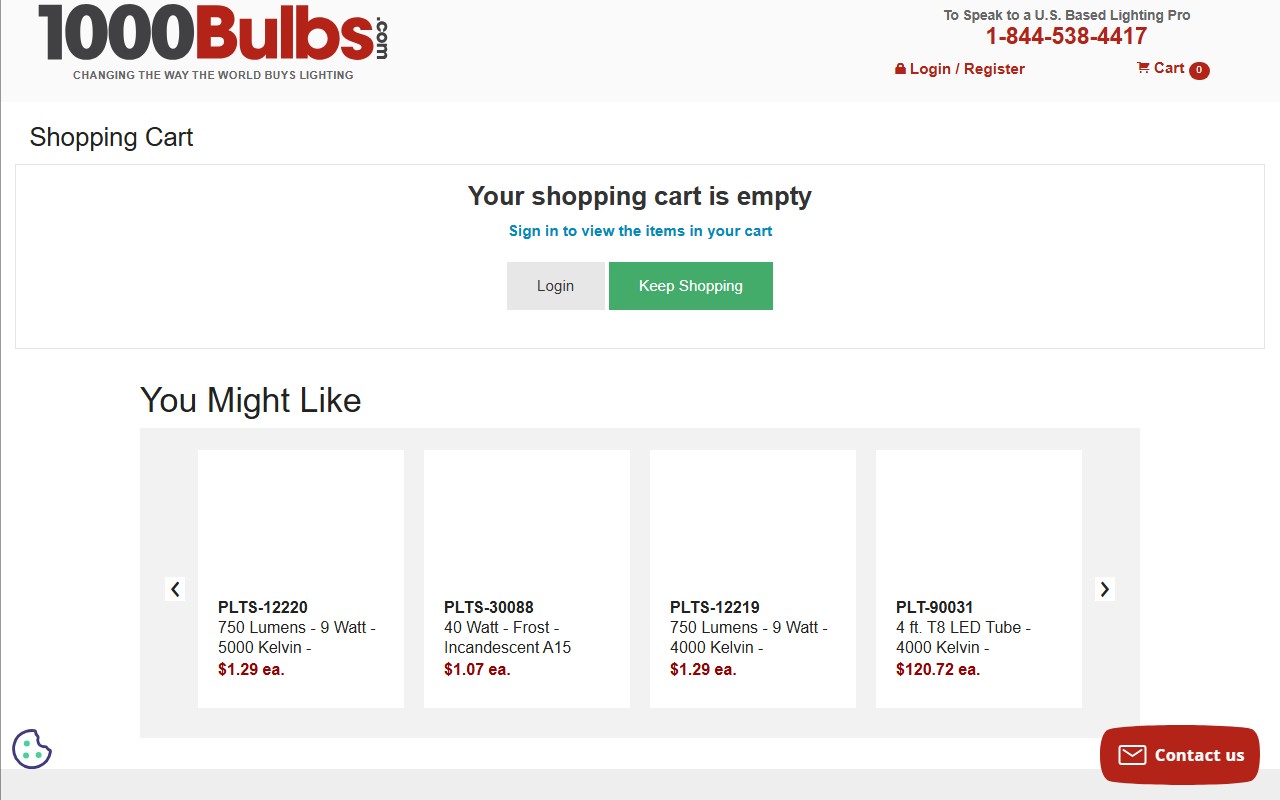
- The /cart page shows: product line items, free shipping progress bar, order summary (Shipping + Total), 'Additional comments' textarea, Secure Checkout button, and express payment logos — no product recommendation module anywhere on the page
- The PDP has 'Recommended add-ons' and 'Frequently Bought Together' sections — this cross-sell logic is not carried through to the cart page where AOV uplift is most actionable
- Lighting buyers assembling a project (recessed lights + dimmers + junction boxes + extension cords) are natural cross-sell targets; a 'You might also need' or 'Complete your project' block at cart level directly serves this use case
- Cart cross-sell is a high-ROI, low-friction app addition — Shopify app ecosystem has multiple solutions that inject product recommendations into the cart without custom development
- Add a 'Complete Your Project' cross-sell block at the bottom of the cart line items (above the order summary): 3-4 accessory products based on the category in cart (recessed lights → dimmers, junction boxes, extension cords, dimmer switches)
- Use category-aware recommendation logic: lighting fixtures in cart → recommend compatible dimmers; LED bulbs → recommend sockets or smart switches; grow lights → recommend timers
- If using a Shopify cross-sell app (e.g. Frequently Bought Together, ReConvert), configure it to exclude duplicate categories (don't show another recessed light when one is already in cart)
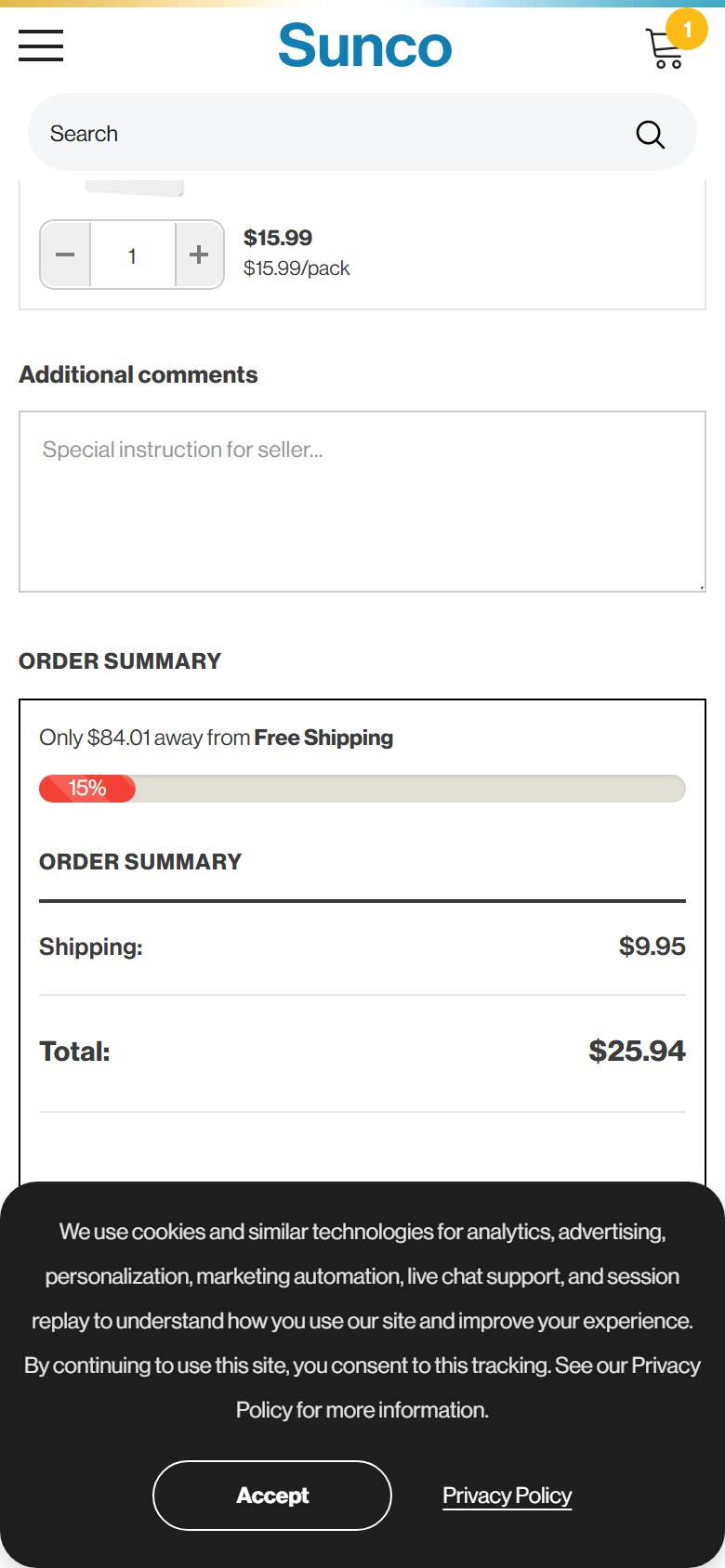
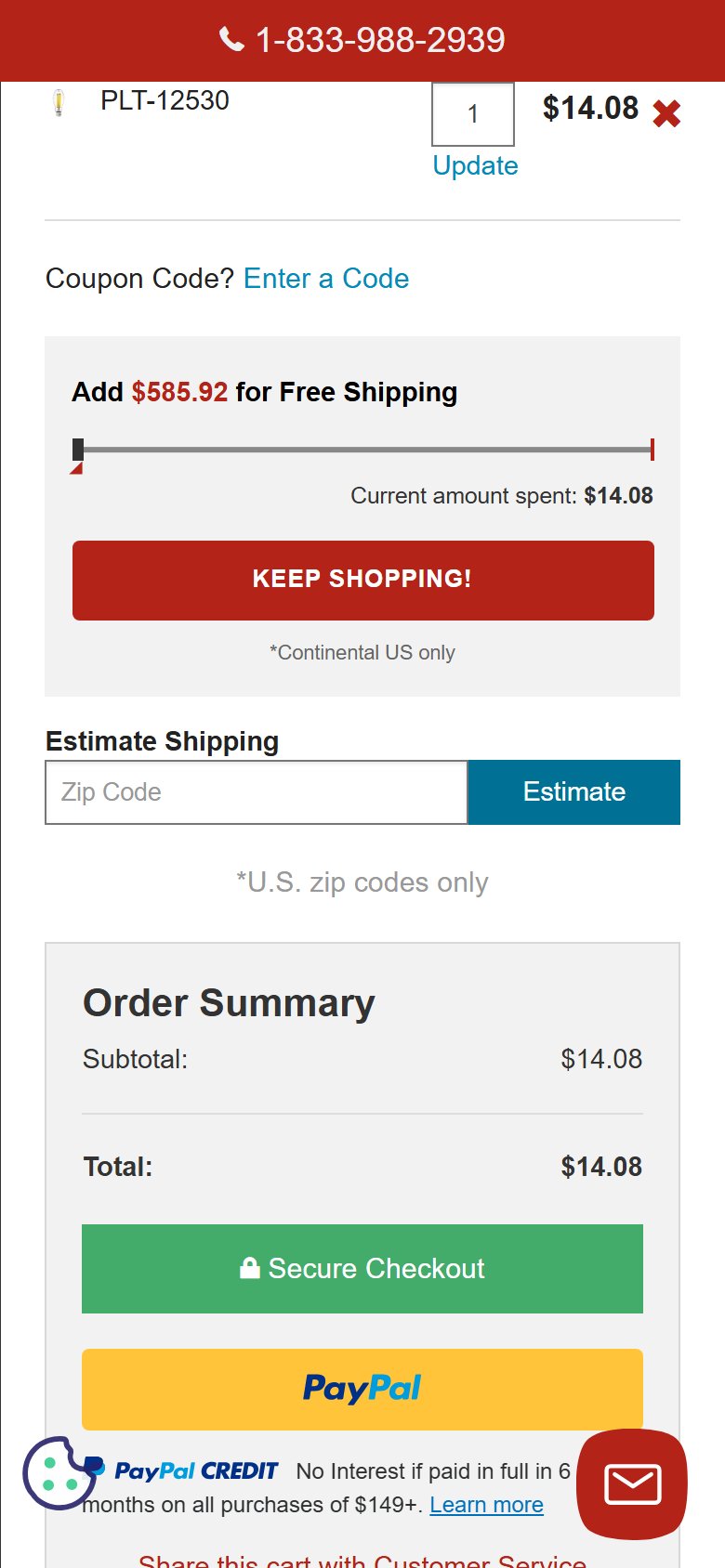
- The cart page order summary shows Shipping and Total — there is no 'Promo Code', 'Coupon Code', or 'Gift Card' input field anywhere on the cart page
- The announcement bar actively promotes 'Use code: MEMORIAL26' for 10% off — but the code entry point does not exist on the cart page; shoppers who try to apply it must proceed all the way to the Shopify checkout page to find the discount field
- This creates a frustrating UX gap: the promo is visible on every page, but there is no place to redeem it on the cart page where shoppers expect to finalize their order details before checkout
- A shopper who searches for the promo code field on /cart and cannot find it may assume the promo does not apply to their order, or abandon before reaching the checkout
- Add a collapsible 'Have a promo code?' field to the order summary on the cart page — standard Shopify cart templates support this natively; it can be enabled via theme settings or a lightweight snippet
- When the announcement bar is running a promo code, auto-populate the code in the cart coupon field (pre-fill it as a helpful default, still allowing the shopper to remove it)
- Add a one-line note under the Secure Checkout button: 'Promo codes can be applied at checkout' if the cart-level field is not implemented — removes the uncertainty for shoppers who cannot find the field
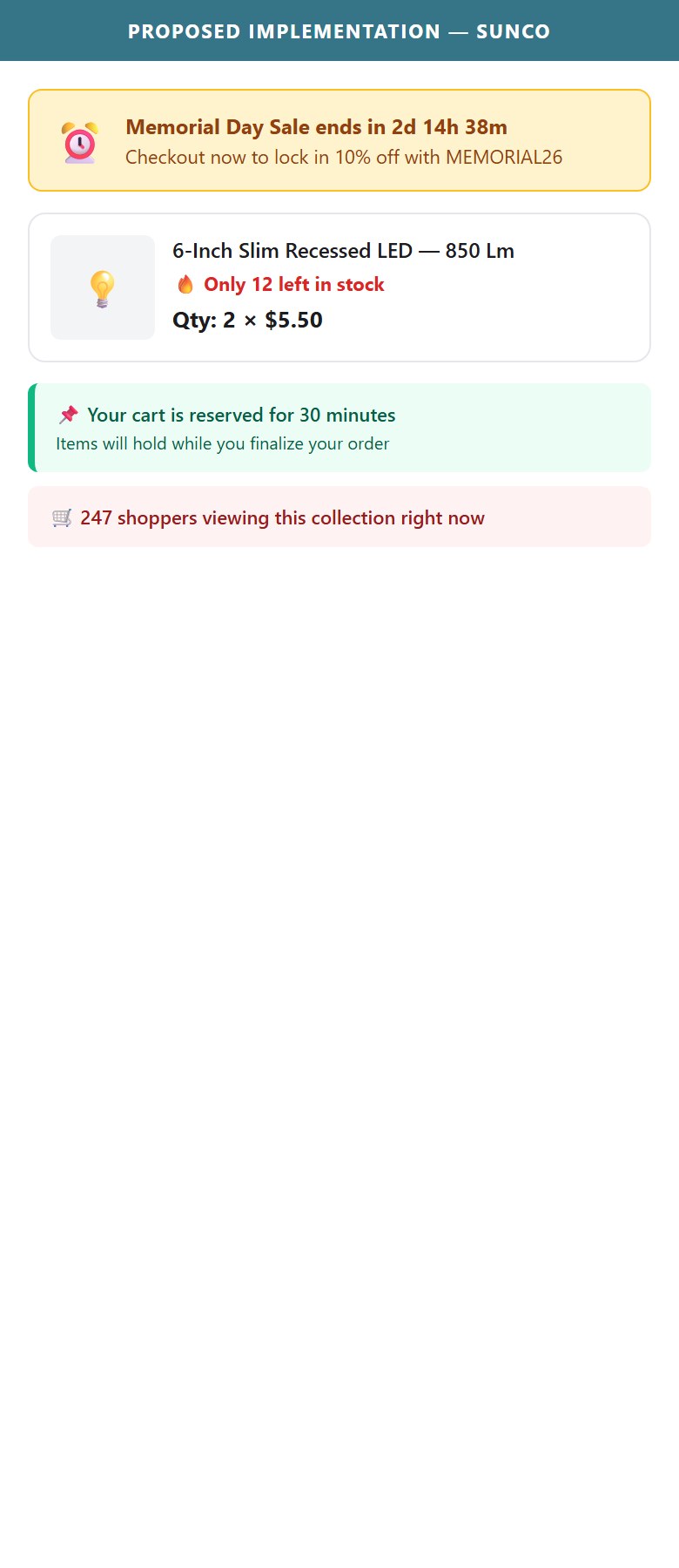
- The cart page has zero urgency elements: no 'Only X left in stock' per line item, no cart reservation timer ('Items held for 15 minutes'), no sale countdown ('Memorial Day Sale ends in 2d 14h'), and no 'X people viewing this item'
- The Memorial Day Sale (10% off sitewide with a named promo code) is an ideal urgency trigger — a sale-end countdown in the cart would meaningfully lift checkout completion during the promotional window
- Cart abandonment rates in electronics/lighting average 70-75%; even a soft urgency line ('Selling fast — order now to guarantee your stock') can lift checkout conversion 5-10% on high-velocity SKUs
- Sunco's contractor customers often build large project carts and may return later — a 'Your cart is saved' message combined with a gentle 'prices may change' note maintains urgency without being aggressive
- During active promotional periods, add a sale-end countdown banner at the top of the cart: 'Memorial Day Sale ends in [dynamic countdown] — checkout now to lock in 10% off'
- Surface per-line-item stock levels when inventory falls below a threshold (e.g. <20 units per SKU): 'Only 12 left at this price' — pulls from existing Shopify inventory data with no app required
- Add a soft cart reservation message: 'Your cart is reserved for 30 minutes' — psychological anchoring that encourages same-session checkout without requiring actual inventory hold logic
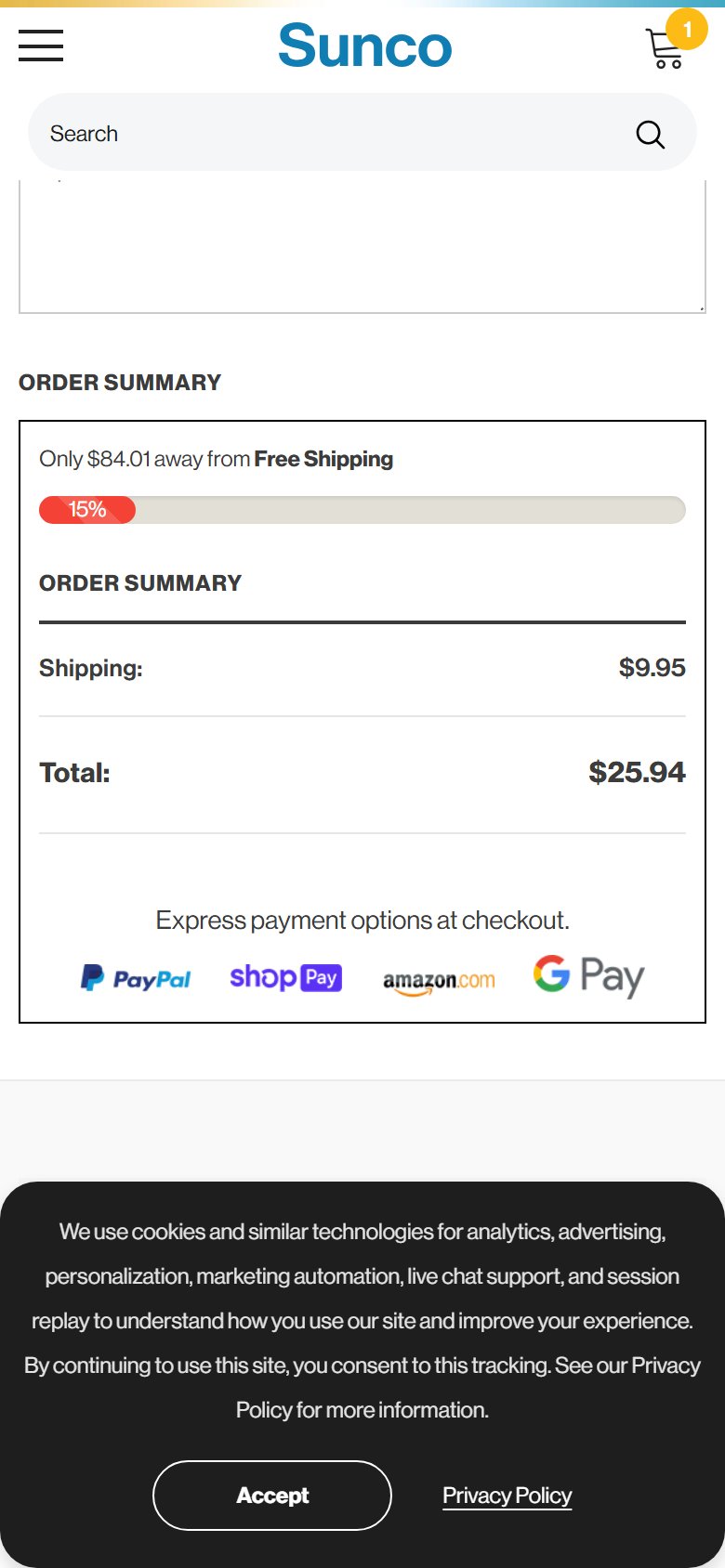
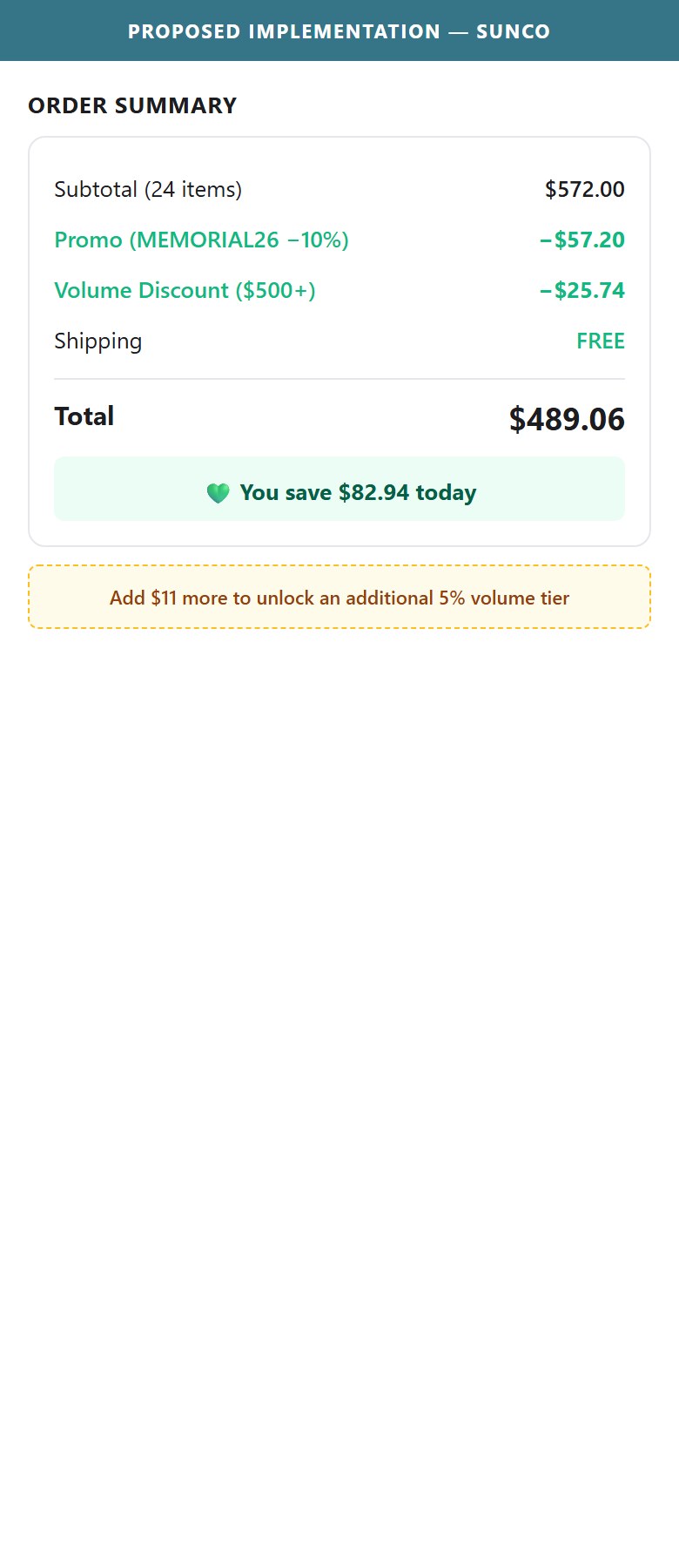
- The order summary shows Shipping and Total — when a discount is active (e.g. via announcement bar promo MEMORIAL26 or auto-applied volume discount at $500+), there is no 'Discount' line item showing the dollar savings
- Without a visible 'You save $X' line, shoppers cannot confirm their discount has been applied, which creates uncertainty and support tickets ('Did my promo code work?')
- The volume discount app auto-applies at $500+ — this is a positive feature, but if the cart total is $520 and there is no savings line, the buyer does not know they received the discount until reaching Shopify checkout
- A savings summary is particularly impactful for bulk/project orders where the volume discount represents meaningful dollar amounts ($50-200+)
- Add a 'You save: $X.XX' green line item to the order summary whenever any discount (promo code or auto-applied volume discount) reduces the cart total
- For the volume discount specifically, show the breakdown: 'Volume Discount (applied): -$52.00' — this reinforces the value of ordering in bulk and can nudge shoppers to add one more item to hit the next discount tier
- Show the next discount tier if the shopper is close: 'Add $47 more to save an additional 5%' — this is an AOV-lifting message that also serves as a savings summary
App Ecosystem
What's installed vs what's missing from best-in-class Electronics stores
Present (5)
Missing (6)
App Stack Assessment
5 apps detected, 6 critical gaps identified
Confidential — Prepared for Sunco Lighting by Growisto | May 2026
Technology Stack
Platform, checkout, payments, security, and supporting infrastructure
Platform & Theme
Checkout & Payments
Infrastructure & Support
Email Capture & Analytics
Tech Stack — Key Opportunities
- Add BNPL (Affirm / Klarna / Afterpay) — reduces friction on $200+ project orders
- Enable Shop Pay / Google Pay express buttons on PDP — Shopify supports natively, no dev work
- Add timed or exit-intent popup with the existing 10% off offer — current footer-only capture under-converts
Confidential — Prepared for Sunco Lighting by Growisto | May 2026